


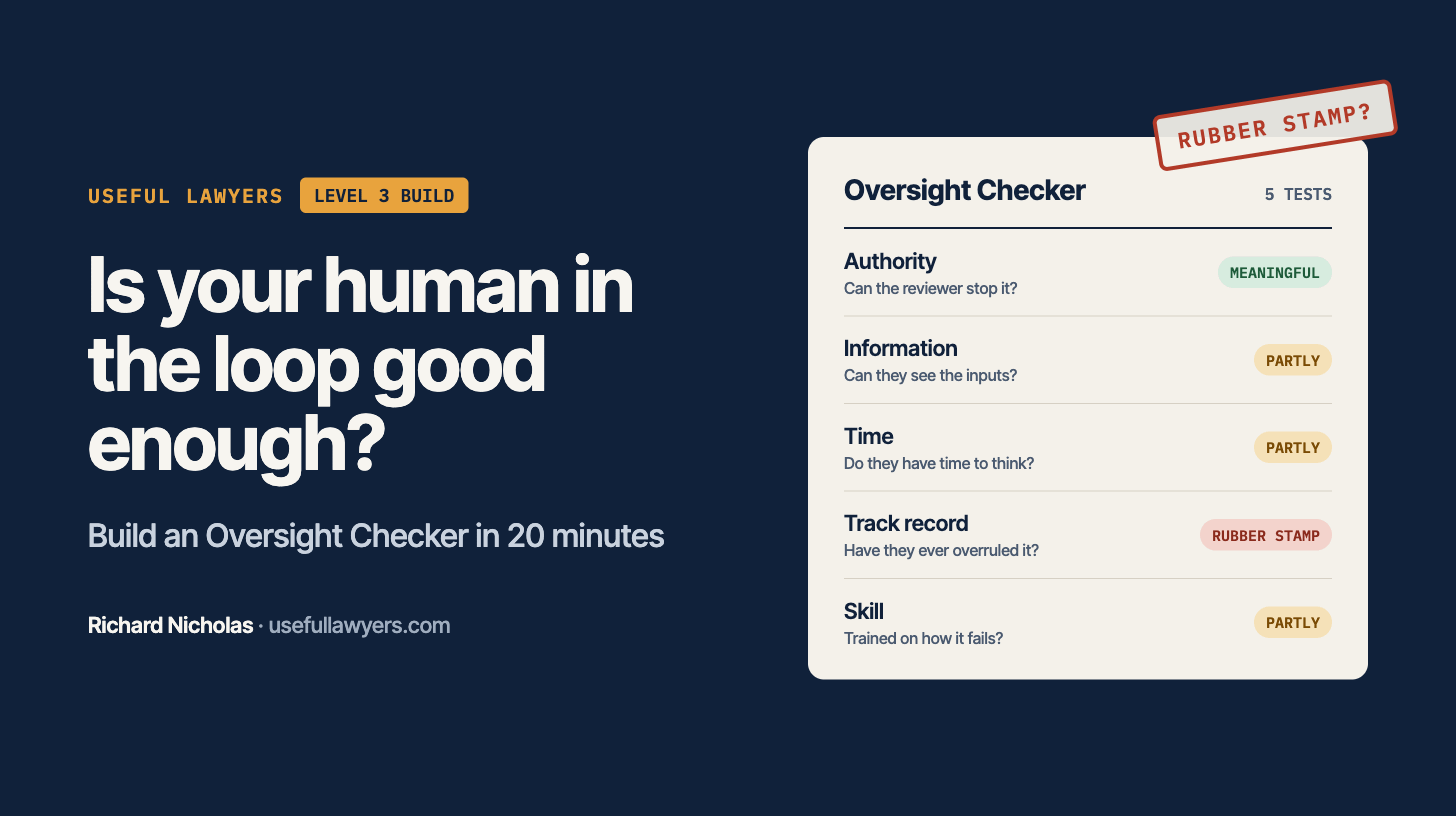
Three weeks ago I wrote about the regulator’s view of human review: the person in the loop needs the authority, discretion and (significantly) enough information to change the outcome, not just endorse it. A couple of you replied with a similar question. “Fine, but how do I actually check that across every AI process we run?”
So this week I built the answer. It’s a Level 3 build: we take a one-off prompt and turn it into a reusable tool your team can run every time a new AI process lands on your desk.
The shift
Most legal teams treat AI oversight as a policy question. Write the policy, circulate it, done.
But a policy that says “a human will review all AI outputs” tells you nothing about whether that human can actually say no. Can they see the inputs? Do they have time? Has anyone ever overruled the system, and what happened when they did?
Those are evidence questions, not policy questions. And evidence questions are exactly the kind of repeatable work AI is good at helping you organise. The useful lawyer of the next few years isn’t the one who writes the best AI policy. It’s the one who can show the board, in ten minutes, whether the policy is working.
The build: an Oversight Checker
What it does: You describe an AI-assisted process in plain English. It interviews you about the human review step, scores it against five tests, and produces a one-page summary you can send to the business or attach to your AI register.
What you need: Any AI tool that lets you save instructions and files together. Claude Projects, a Copilot agent or a custom GPT all work.
Time: About 20 minutes to set up. About 10 minutes per process after that.
Step 1. Create the project. Call it “Oversight Checker”. This is the bit most people skip. A saved project means you never retype the instructions, and every colleague gets the same check.
Step 2. Paste in the instructions. Use the prompt below as the project’s instructions, not as a one-off chat.
Step 3. Add your own documents. Upload your AI policy, your AI register (if you have one) and any internal guidance on decision-making. The checker will then test each process against your rules, not generic ones.
Step 4. Test it on something you already know fails. This is how you check any AI tool before trusting it. Pick a process where you know the review is weak and see if the checker catches it. If it doesn’t, tighten the five tests in the instructions.
Step 5. Share it. Give access to the people who bring you new AI tools: HR, procurement, operations. They run it first. You review the output. That’s the “vending machine” idea from June, applied to governance.
Where it went wrong when I built it: The tool assumes that there is a process that is reasonably well documented, which isn’t always the case (for instance lawyers reviewing contracts using a tool like Legora or Harvey might not need to report when they chose to disregard the recommendations of the tool and are not typically under time restrictions - BUT someone working with an AI tool in a different role (e.g. marketing, sales) might well have time or other restrictions that matter, or be required to explain why they have rejected the opinion of the AI.
One thing it highlighted: When I ran the tool it picked out items that should have been in both staff training and policy that might not have otherwise been obvious, but which become apparent when looked at from the perspective of an audit to check whether the human review of AI tools is sufficiently robust.
The prompt
Paste this into your project’s instructions and adapt the bracketed parts:
Subscribe (for free) for the full prompt
The judgement call
Who should run this check: legal, or the business?
My view is the business runs it and legal reviews the result. If legal runs every check, you become the bottleneck and the AI register never gets finished. If the business runs it unsupervised, you get optimistic answers. The middle route keeps you in control of the standard without doing all the work.
One caution. The output is a record. If it shows a process is a rubber stamp, you now know, and so will anyone who sees the file later. Agree in advance what happens to a “rubber stamp” rating: who is told, and by when it must be fixed. Better to decide that before the first one comes back.
What matters this week
The Information Commission’s AI code is on its way. It will cover meaningful human review and carry statutory weight. Today’s build gets you ahead of it. (Source: Statutory Instrument 2026/425; Information Commission)
A US bill would put liability for rogue agents on whoever deploys them. Expect that thinking to appear in US vendor terms. Check your AI contracts for how agent behaviour is allocated. (Source: AI Agent Accountability Act, US Senate)
The UKJT says contracts, not new law, will settle most AI liability. Your oversight records are part of your defence. (Source: UK Jurisdiction Taskforce legal statement)
Your next step
If you’d like to build this kind of thing with others, start with a free account at humansplusagents.ai/richard-nicholas. It gives you a free year of the AI Skills Black Belt: nine live sessions where you bring real work and leave with it finished. It’s a US platform, so prices show in dollars, but the free year costs you nothing.
That’s it for this week. If you build the checker, reply and tell me what it found. I’ll share the best results (anonymised) in a future issue.
Richard
PS. Ready for Level 4? The Agent Builder Workshop takes you from prompts to working agents on your own documents in five sessions. £1,000 per person, with a money-back guarantee. See the details. If your CEO is wrestling with AI, forward them this: they’re invited to the AI-Native Executive Peer Group, first Friday of each month.
Useful Lawyers is general information, not legal advice. Richard Nicholas is a technology law partner; legal advice is given through his firm.